Cassette
Press record. Get the notes.
A cassette deck for your iPhone that writes the transcript, the notes and the follow-up email for you.
Just Press Record
Everything you would write down, written.
Meetings, lectures, interviews and voice memos. When you stop the tape, Cassette writes it all up for you, right on your iPhone.

Record
Recording is free and unlimited, with no minute meter. Lock the screen or switch apps and the tape keeps rolling.

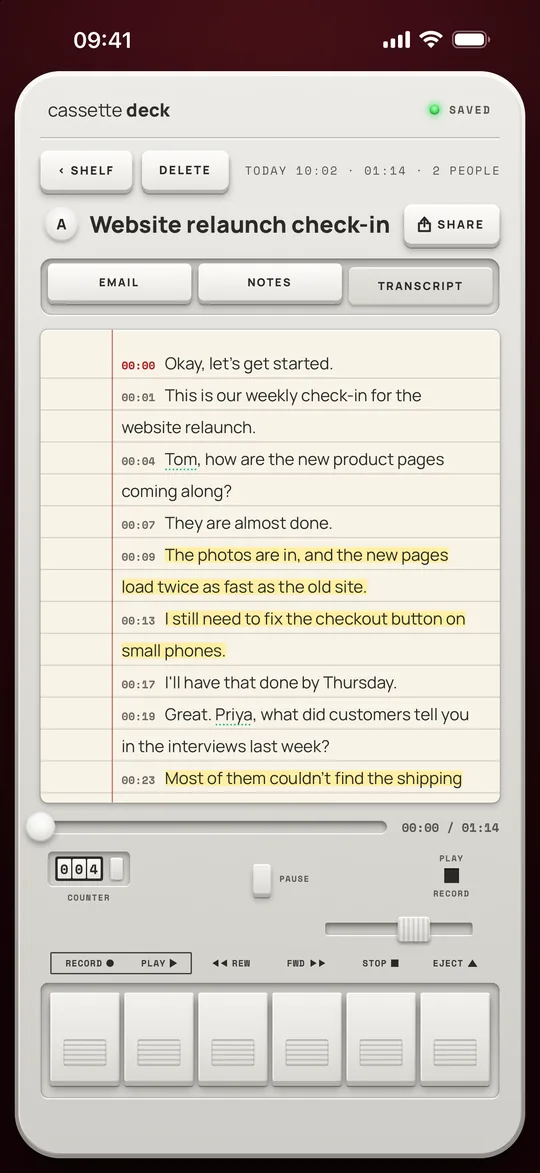
Transcript
Every word with a timestamp, in your iPhone's language. Tap any line to hear that moment again.

Notes
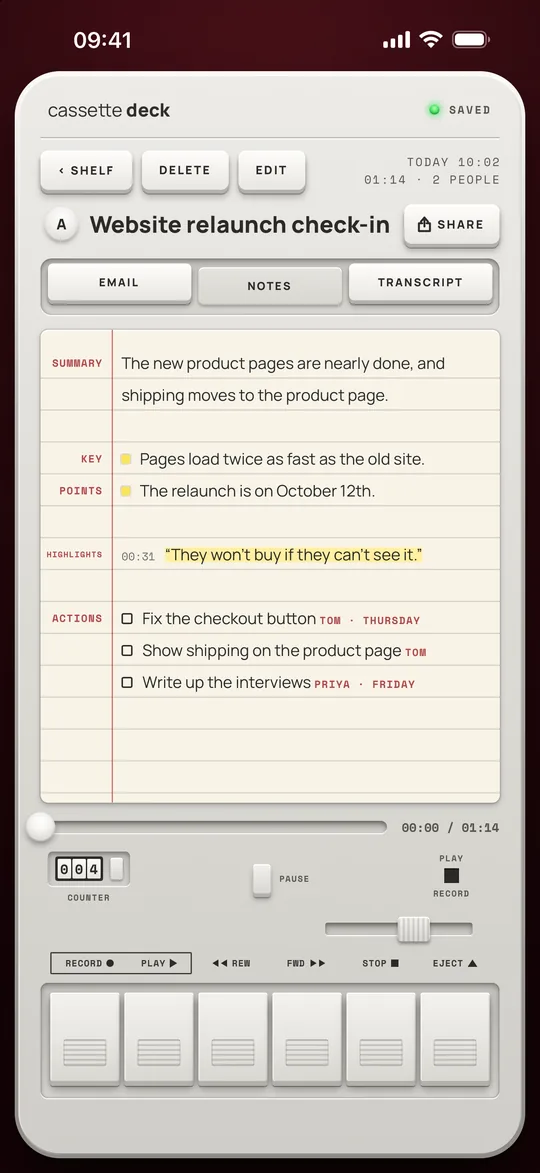
A short summary, the highlights worth remembering, and the action items, with owners and due dates when someone says them.

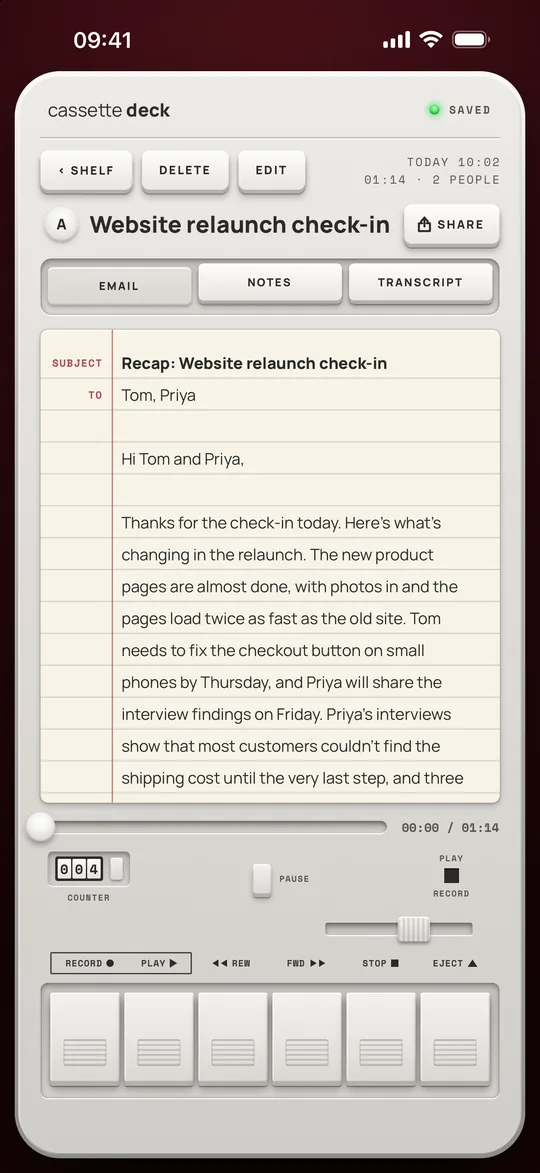
A follow-up for the people who came up: subject, greeting, recap and action items, ready to paste into Mail.

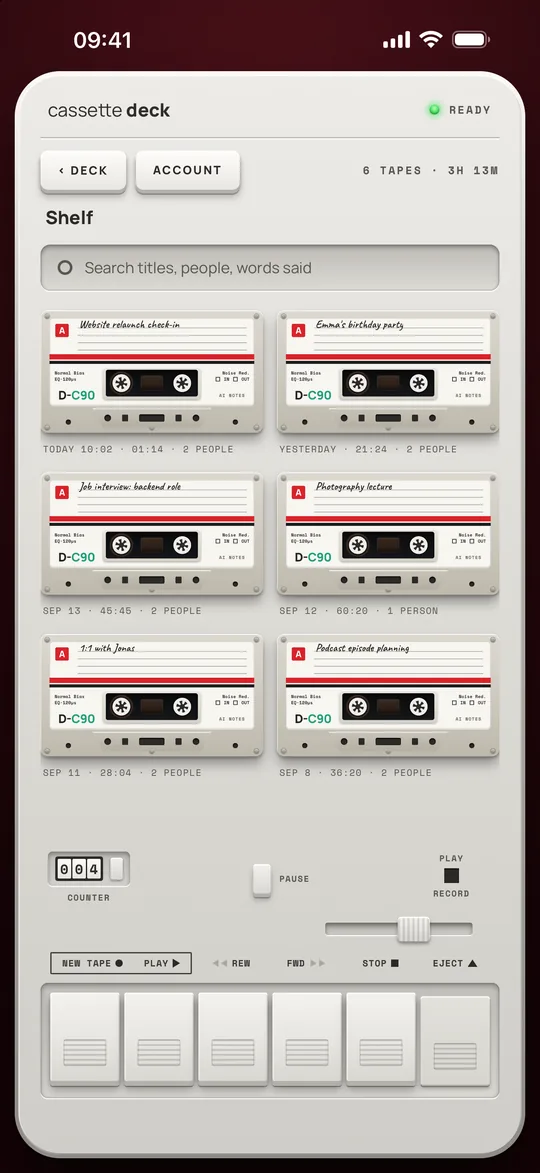
Shelf
Every tape on one shelf. Search by title, by the people in it, or by any word that was said.

Share
Copy a whole tab, or save the email, the notes or the transcript as a PDF or a Word document.
Try It
Press record. Watch it write.
A sample team meeting, played back fast. Nothing is recorded on this page and your microphone stays off.
Press Record, then Mark any line worth keeping.
Press Record and the transcript writes itself here, line by line.
Why It Feels Different
A recorder you can feel.
No dashboard, no minute meter, no upload queue. A deck with real keys that turns a conversation into something you can act on.

Private by design
Transcripts come from Apple speech recognition, and the notes are written by Apple's own models, never by an outside AI service. No ads and no tracking.

A deck with real keys
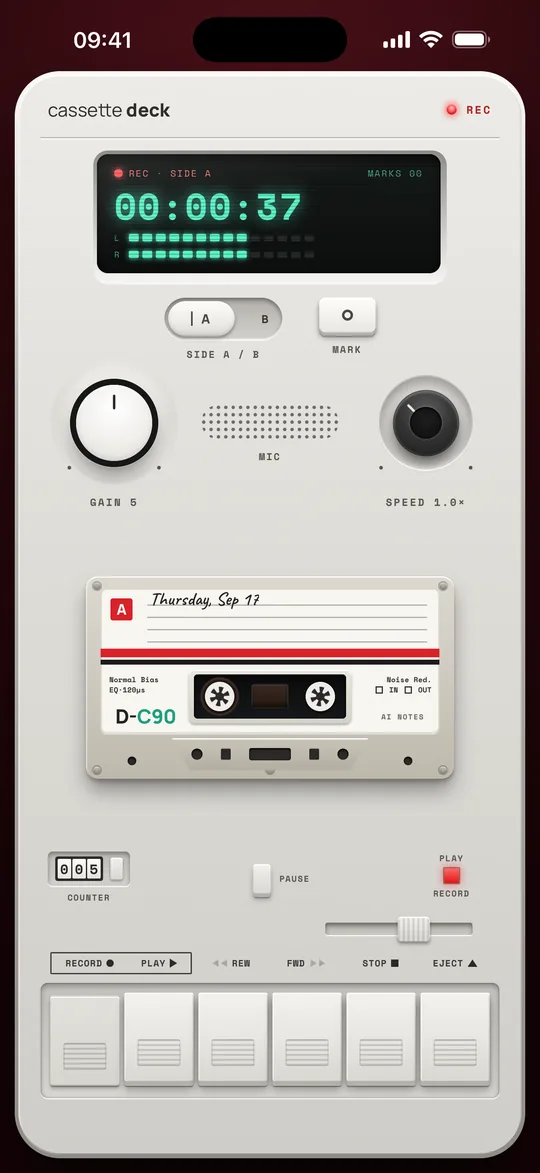
Piano keys you press, a tape counter, VU meters, side A and B, and a speed knob for playback, with the click and feel of the real thing.
No minute meter
Record as long and as often as you like. Recording never costs anything, on the free plan or on Premium.
Ready to send
The follow-up email is already addressed to the people who came up, so the recap goes out while the meeting is still fresh.
On Your iPhone
See it in hand.
Real screens from the app, with a sample meeting on the shelf.
What's Inside
More than a record button.
Small things that make a long recording easy to use afterwards.
Press Mark while you record and that moment leads your highlights.
Tap any line of the transcript and the tape jumps straight to it.
Play a tape back anywhere from half speed to double speed.
Audio is saved every few seconds as you record, so an unexpected quit does not lose the meeting.
On iPhones with Apple Intelligence the notes come from Apple's own models: Private Cloud Compute on iOS 27, which keeps nothing it is sent, and the on-device model before that. Other iPhones get simpler notes, written on the device.
Sign in with Apple, Google or email, and every tape is backed up and comes back on a new iPhone.
The Practical Part
What you should know.
Honest details, no fine print games.
Questions
Questions, answered.
Is Cassette free?
Yes, to download and to record, with no minute meter. Transcripts and notes are free for 5 tapes a month. Cassette Premium writes up every tape and backs up your shelf, and the annual plan starts with a 7-day free trial.
Does my audio leave my iPhone?
The audio stays on your iPhone unless you sign in with Premium to back it up. Transcripts come from Apple speech recognition, on the device wherever your iPhone supports your language; otherwise that recording may be sent to Apple to transcribe. The notes are written by Apple's models, never by an outside AI service: on iOS 27 the transcript goes to Apple's Private Cloud Compute, which does not keep it, and on earlier iPhones the notes are written on the device.
Do I need an account?
No. Recording, transcripts and notes all work without one. Signing in keeps your purchase with you, and with Premium it backs up every tape so it comes back on a new iPhone.
What goes in the notes?
A short summary, the highlights worth remembering, and the action items with owners and due dates when they are mentioned, plus a follow-up email draft for the people who came up.
Which iPhones does it work on?
Any iPhone on iOS 17 or later. Notes by Apple Intelligence need an iPhone that supports it; other iPhones get simpler notes, written on the device.
Can I share what it writes?
Yes. Copy a whole tab in one tap, or save the email, the notes or the transcript as a PDF or a Word document.
Does it keep recording with the screen off?
Yes. Lock your iPhone or switch apps and the tape keeps rolling. A phone call pauses it, and you pick up where you left off.
How do I delete my recordings?
Open a tape and press Delete, or press and hold it on the shelf. Deleting your account removes every backed-up recording, transcript and note too.
Download
Get Cassette.
Free to download on the App Store. Scan the code or tap the badge.
On the App Store for iPhone, iOS 17 or later.
Writing about Cassette? See the press kit.