 cassette deck
How to record a lecture on iPhone or Android
Written by the team that builds Cassette, so we are not neutral about it. Updated 6 November 2026.
The short answer
Ask your professor first, sit near the front, lay your phone flat with its bottom edge toward the speaker, and press record. The recorder that came with your phone gets you the audio. To get notes as well, use an app that writes them: in Cassette you press RECORD, tap MARK at the parts that matter and press STOP, and the outline, key terms and exam talk are written for you.
Before class: get a recording you can use
A clear recording comes down to a few small things you do before the professor starts.
- Ask first. Check the syllabus or ask after class. Schools and professors have their own rules about recording.
- Sit close. Distance hurts a recording more than anything else. A few rows from the front beats the back of the room.
- Lay the phone flat, bottom edge toward the speaker. The main microphone on most phones is on that edge. Keep it off a desk you will be typing or tapping on.
- Silence it. Turn on Do Not Disturb so buzzes don't end up on the tape.
- Check battery and storage. A long class is a poor time to find out either one is low.
Record with the app your phone came with
If you only want to listen again later, you may not need anything new.
On iPhone, open Voice Memos, which may be in the Utilities folder, and tap the red button. Tap it again when class ends. On iPhone 12 or later you can also view a transcript in the languages Apple supports.
On Android, look for the recorder app from your phone's maker. The name and features change from brand to brand, so open it and check whether it does more than save the audio.
Either way you end up with a long recording. Finding the ten minutes that mattered still means listening through it, and writing the notes is still your job.
Record with Cassette and get the notes too
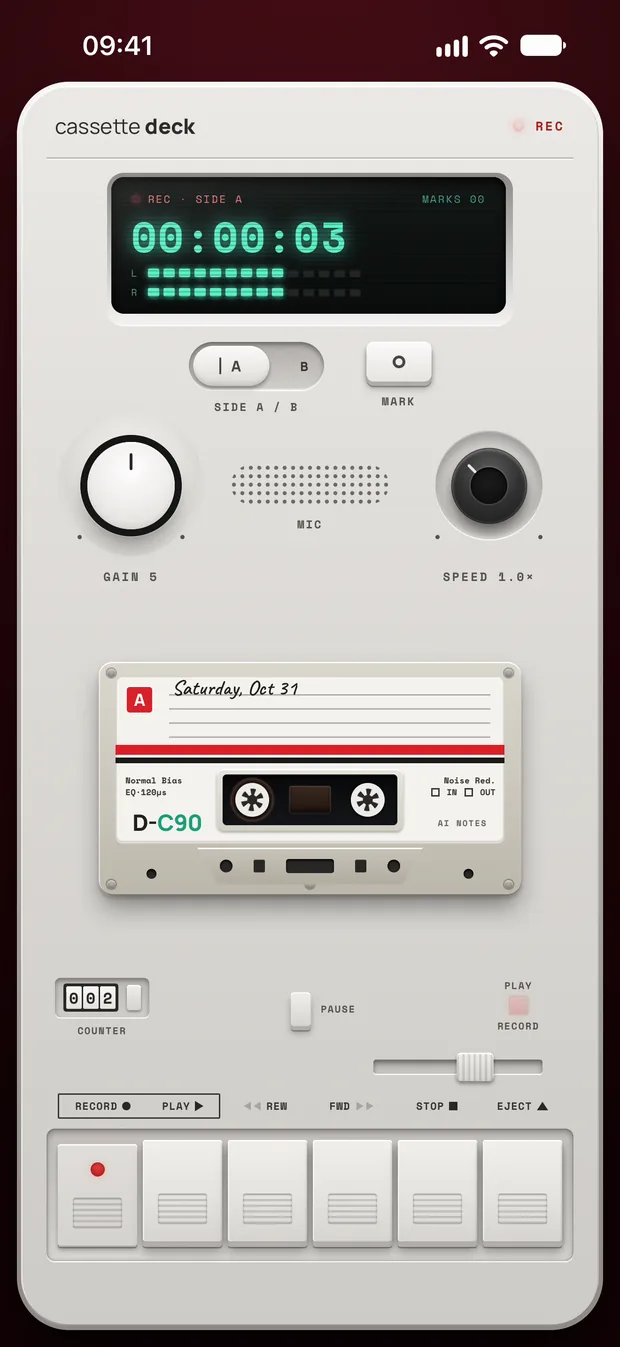
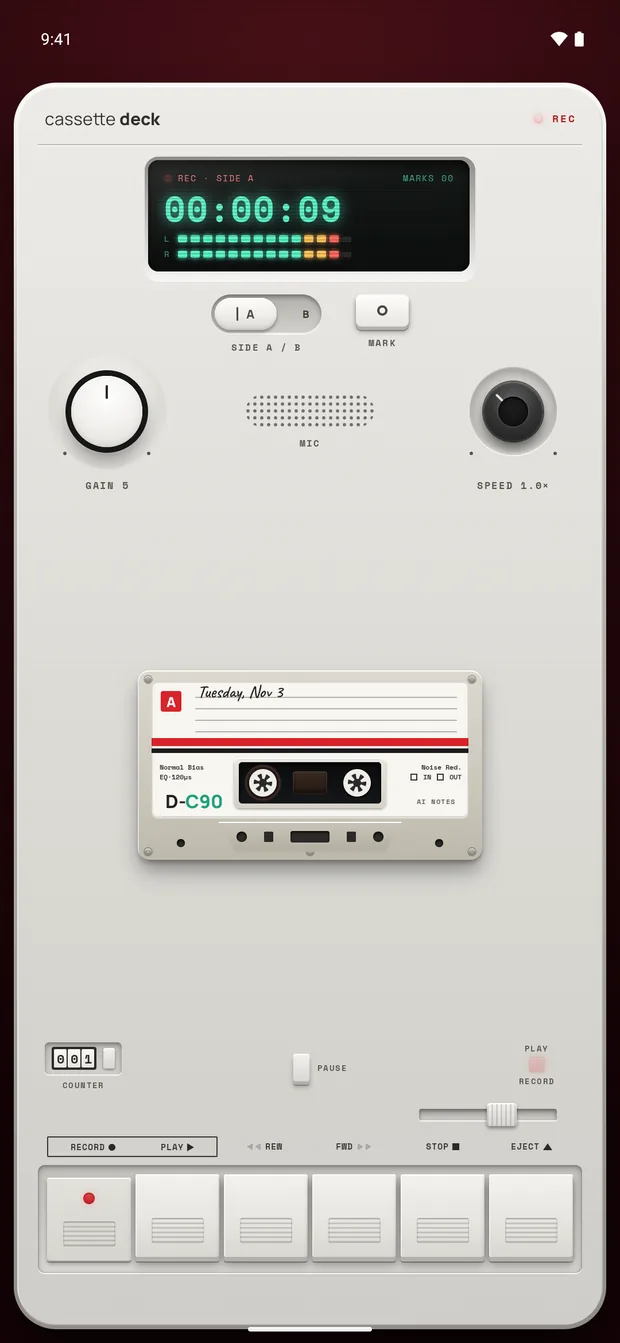
Cassette looks like a tape deck, and it works like one. It runs on iPhone and Android, and the steps are the same on both.
- Press RECORD. The tape keeps rolling when your screen locks, so you can put the phone down and listen.
- Tap MARK when something matters, like when the professor says it will be on the exam. Each mark holds that moment on the tape.
- Press STOP. Cassette writes the transcript and the notes on its own, with no outside AI service.
What you get when you press STOP
Cassette picks the kind of notes from what it hears. For a class it writes:
- A short summary of the class.
- What is due, with the day, when the professor says one.
- An outline of what was covered, with times.
- The key terms and what they mean.
- What was said to be on the exam, in its own section, in the professor's words.
- Examples and the questions the class asked.
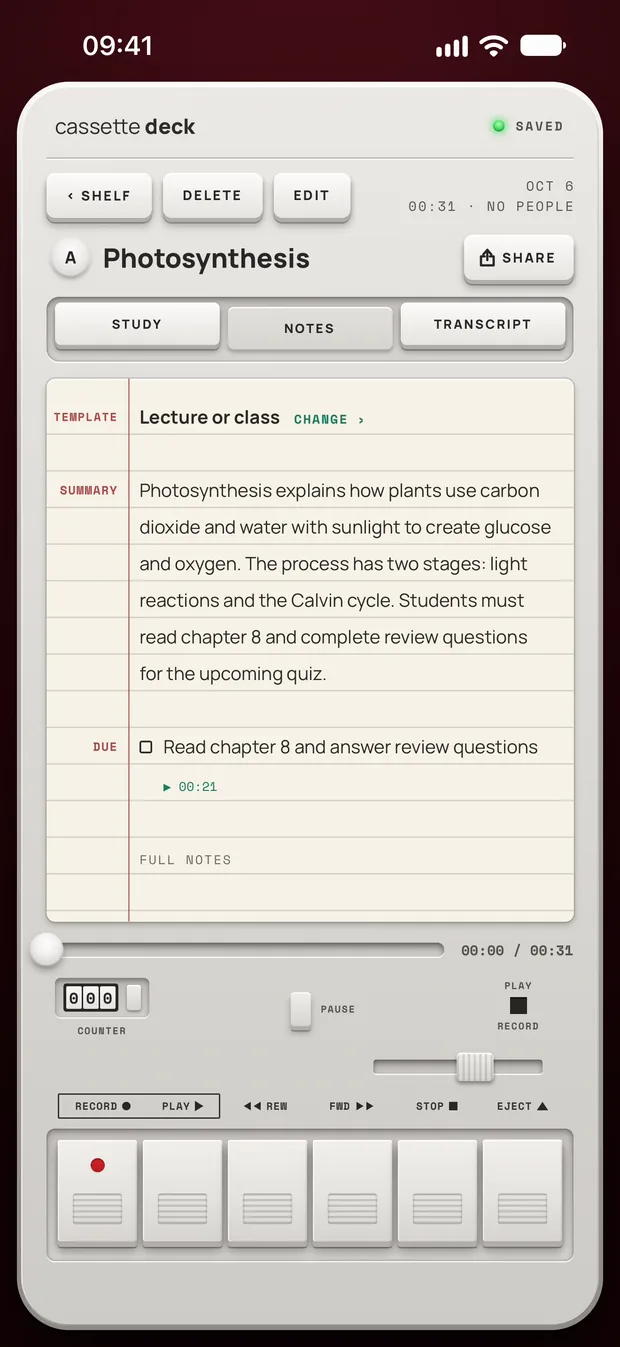
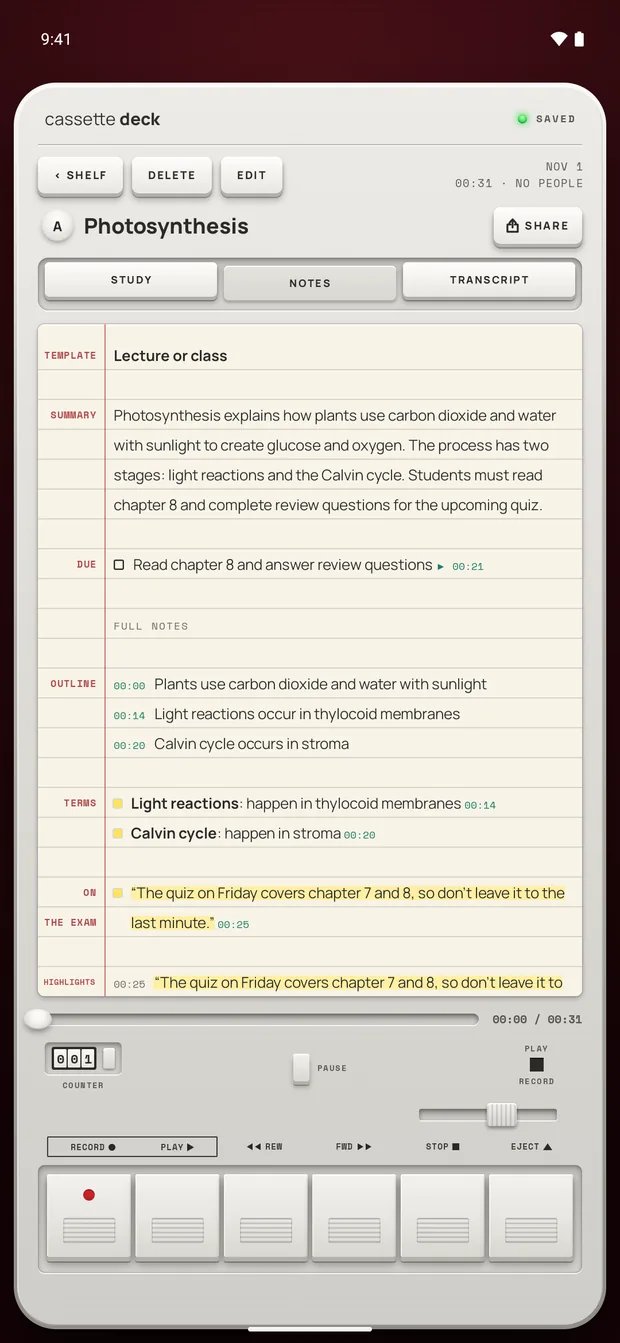
If it guessed wrong, for example a seminar it took for a meeting, choose Lecture or class and the notes are written again.
On an iPhone without Apple Intelligence or on a version before iOS 26, or an Android phone with less than 8 GB of memory, you get the recording, the transcript and a few lines heard clearly, word for word, instead of these notes and cards.
Turn the notes into study time
- Go back to the moment. Tap a line of the transcript to jump to it, then press PLAY to hear how it was said.
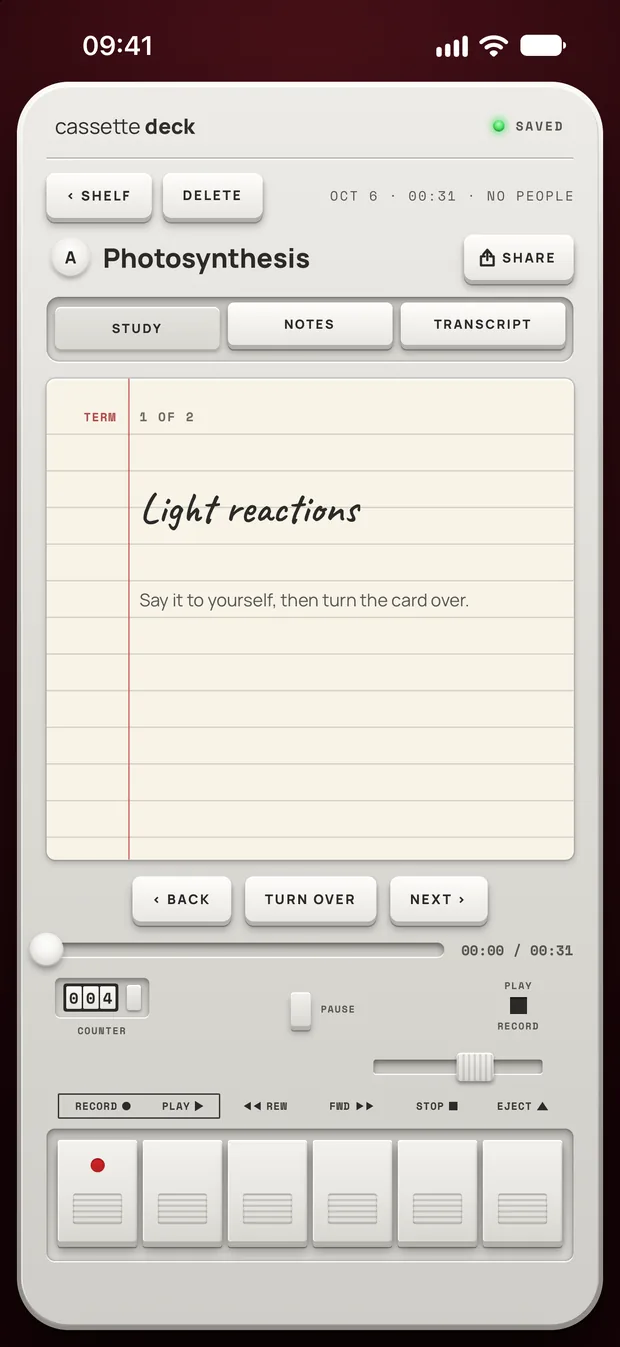
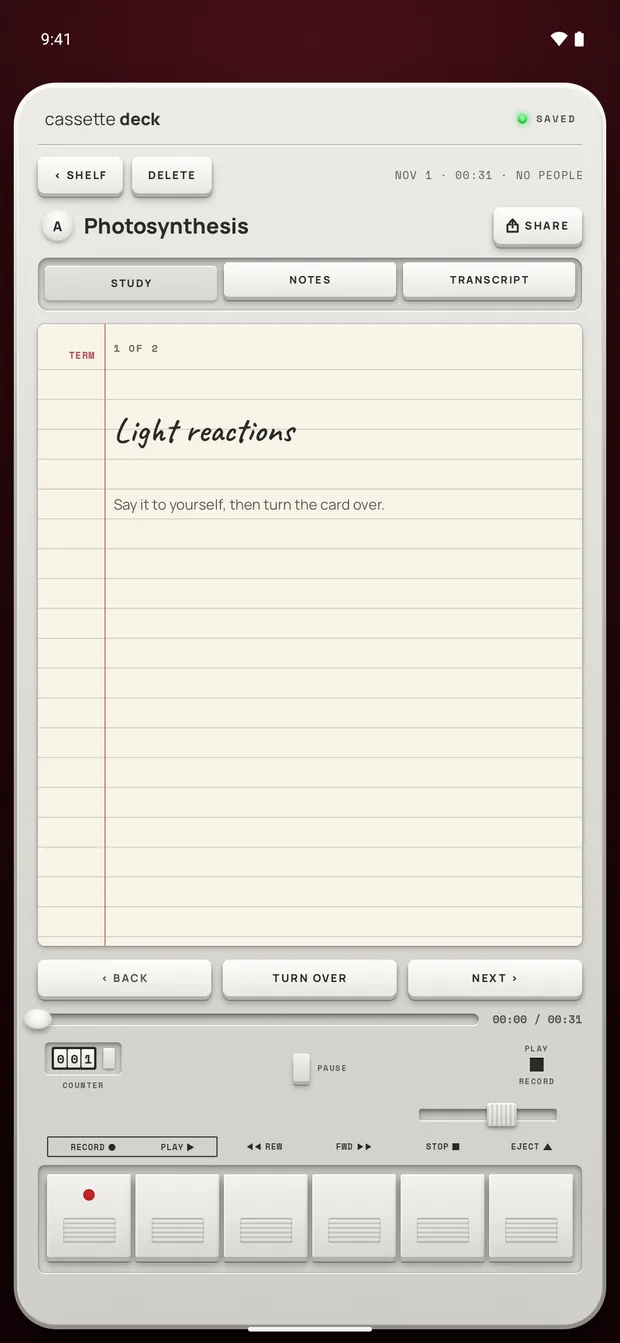
- Review with cards. Cassette makes review cards from the key terms, so you can test yourself without writing them.
- Keep them with your other notes. Send the notes to Notion, OneNote, Evernote or Google Keep in one tap, to Apple Notes on iPhone, or to Samsung Notes on a Samsung phone.
- Ask your tapes. Type a question like "what's due this week?" and get an answer from your own recordings, with the sources.
Before you record
Ask first. Whoever you are recording should know about it, some places require everyone's consent, and it is the decent thing to do.
Try Cassette
Free to download. Recording is free and unlimited, tapes under 3 minutes get their transcript and notes free, and longer ones get them free for 2 tapes a month.
Questions
Can I record a lecture with my phone locked?
Yes. Cassette keeps recording when the screen locks, on iPhone and on Android.
Does it work without Wi-Fi?
Yes. Recording, the transcript and the notes all work in airplane mode, which helps in a basement lecture hall. On iPhone, the transcript needs a language your phone can handle on the device, with its speech model downloaded. On Android, the notes model arrives over Wi-Fi once after you install, so open Cassette on Wi-Fi before class.
Can I keep the recording private?
Notes are never written by an outside AI service. On Android, the audio only leaves the phone if you sign in with Premium, which backs tapes up. On iPhone there are more cases: Apple's servers transcribe a tape the phone can't do on the device, the notes can be written on Apple's Private Cloud Compute on iOS 27, and tapes go in iCloud and computer backups and in your Premium backup. To stop all of that, turn on On-device only in your Cassette profile.
Is Cassette free for lectures?
Recording is free and unlimited. A lecture usually runs longer than 3 minutes, so its transcript and notes count toward the 2 free tapes a month, and Premium covers every tape after that.
Related guides
- How to choose a lecture recording appHow to pick an app to record lectures and take notes: what the free built-in apps do, eight things that matter for a class, and how Cassette does.
- How to transcribe voice memos on iPhone or AndroidTurn a voice memo into text with the tools already on your phone. Steps for iPhone, Mac, Pixel and Samsung, and what Cassette adds.
- How to use your Apple Watch as a voice recorderRecord your voice on Apple Watch with Voice Memos and find the recording on iPhone, or record in Cassette to get a transcript and notes.
Sources
- Apple Support: View a Voice Memos transcription on iPhone: https://support.apple.com/guide/iphone/view-a-transcription-iph00953a982/ios