 cassette deck
How to choose a lecture recording app
Written by the team that builds Cassette, so we are not neutral about it. Updated 7 November 2026.
The short answer
Start with what your phone already has. On iPhone 12 or later, Voice Memos and the Notes app record and write a transcript, and Notes can add a summary on iPhones with Apple Intelligence. A Pixel's Recorder and a Galaxy's Voice Recorder also write transcripts, and summaries on newer models. If you want notes made for a class, with an outline, key terms and what is on the exam, look for an app that keeps recording with the screen locked, lets you mark moments, works offline and gets the notes out to where you study. Cassette does those on iPhone and Android.
First, check the free apps on your phone
You may not need to download anything. Here is what the built-in apps say they do, from their makers' own help pages.
- iPhone, Notes app. In a note, tap the attachments button, then Record Audio. Apple lists the transcript for iPhone 12 and later, when the iPhone's language is set to English, Spanish, Portuguese, Italian, French, German, Japanese, Korean or Chinese. With Apple Intelligence, you can also tap Summary to see the main points.
- iPhone, Voice Memos. It records and shows a transcript on the same iPhones.
- Pixel, Recorder. It writes a transcript as you record. Google lists summaries for Pixel 8 and later, for recordings of 5 minutes up to 1 hour of speech, and says they are made in the cloud.
- Samsung Galaxy, Voice Recorder. With Transcript assist it writes a transcript and a summary, on select phones and tablets with One UI 6.1 or higher.
If you mostly want to listen again later, or read a transcript, one of these may be enough. The question is what you want after class: a recording, a wall of text, or study notes.
What to look for in a lecture recording app
A class is not a meeting. It runs long, the useful part is often two sentences, and you will study from it weeks later. These are the things worth checking before you trust an app with a semester.
- It keeps recording with the screen locked. You should be able to put the phone down and listen. Test it once before a real class.
- You can mark a moment. When the professor says "this will be on the exam", one tap should hold that spot, so you don't hunt through an hour of audio later.
- The notes are made for a class. A summary is a start. For studying you want an outline with times, the key terms, homework with the day it is due, and what was said about the exam.
- It works without Wi-Fi. Lecture halls are often in basements. Check what still works in airplane mode.
- You know where the audio goes. Read whether the recording is sent to a server to be transcribed or summarized.
- You can get the notes out. Copying, a PDF, or a send to the notes app you already use.
- It helps you review. Jumping from a line of notes to that moment of the recording saves a lot of time.
- The cost is clear. Know what is free and what a long class costs before the semester starts.
How Cassette handles each one
Cassette is a recorder styled as a tape deck, for iPhone and Android. You press RECORD, tap MARK at the parts that matter and press STOP. Here is how it does on the list above.
- Locked screen: the tape keeps recording when the screen locks, on both systems.
- Marks: tap MARK during class to hold that moment on the tape.
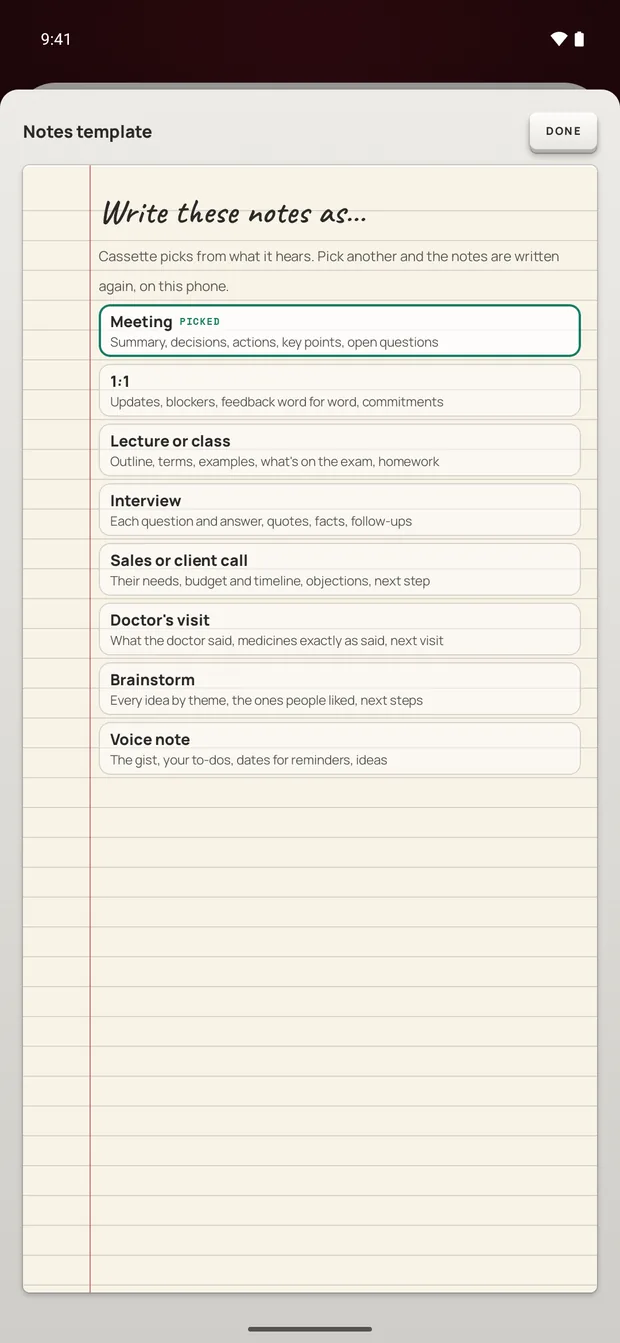
- Class notes: Cassette picks the kind of notes from what it hears. For a class it writes a summary, what is due, an outline with times, key terms, examples, the questions the class asked, and what was said to be on the exam, in the professor's words.
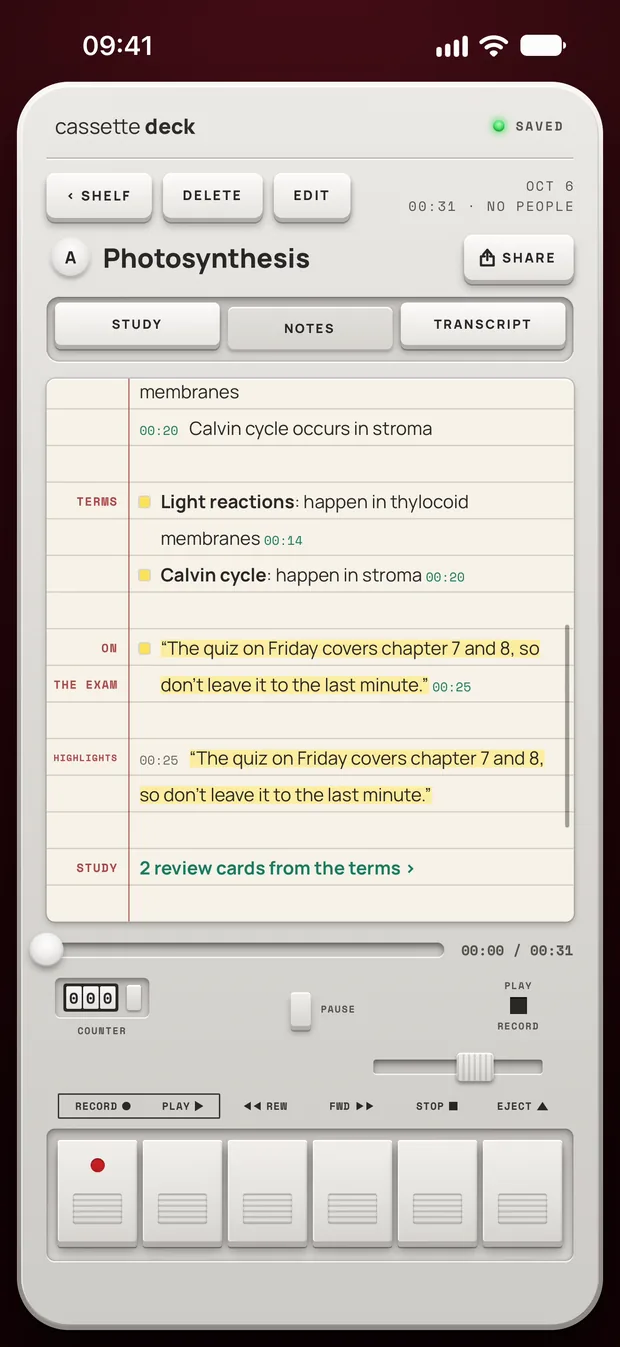
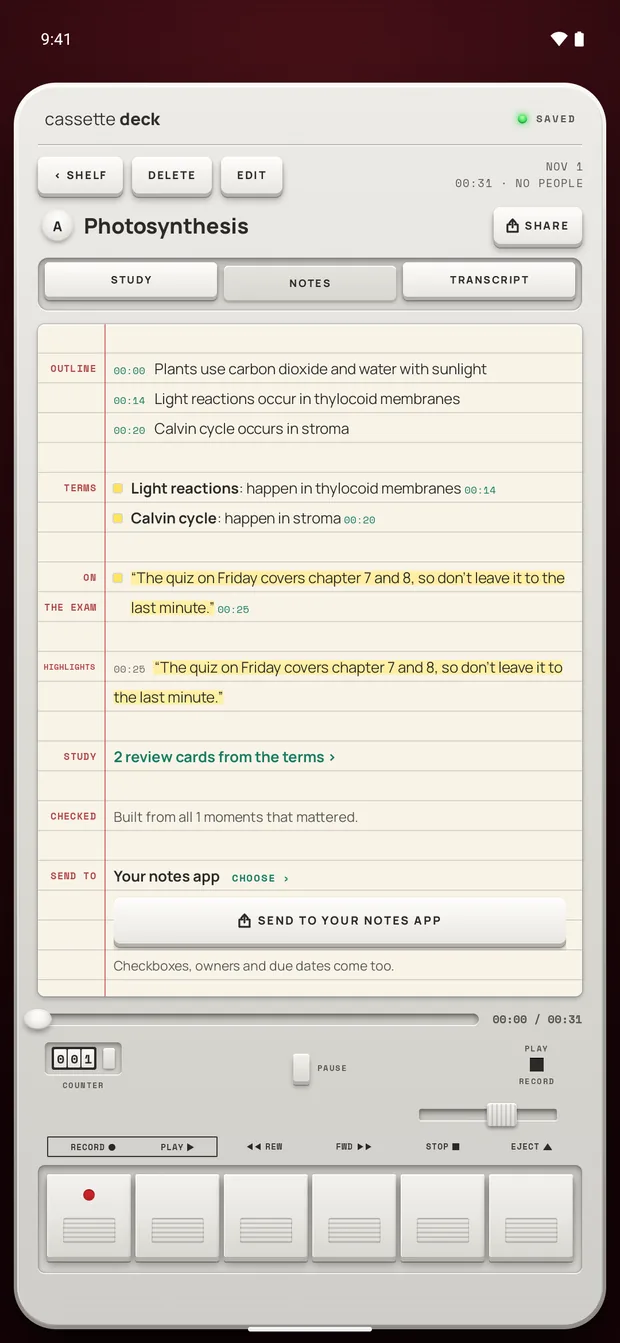
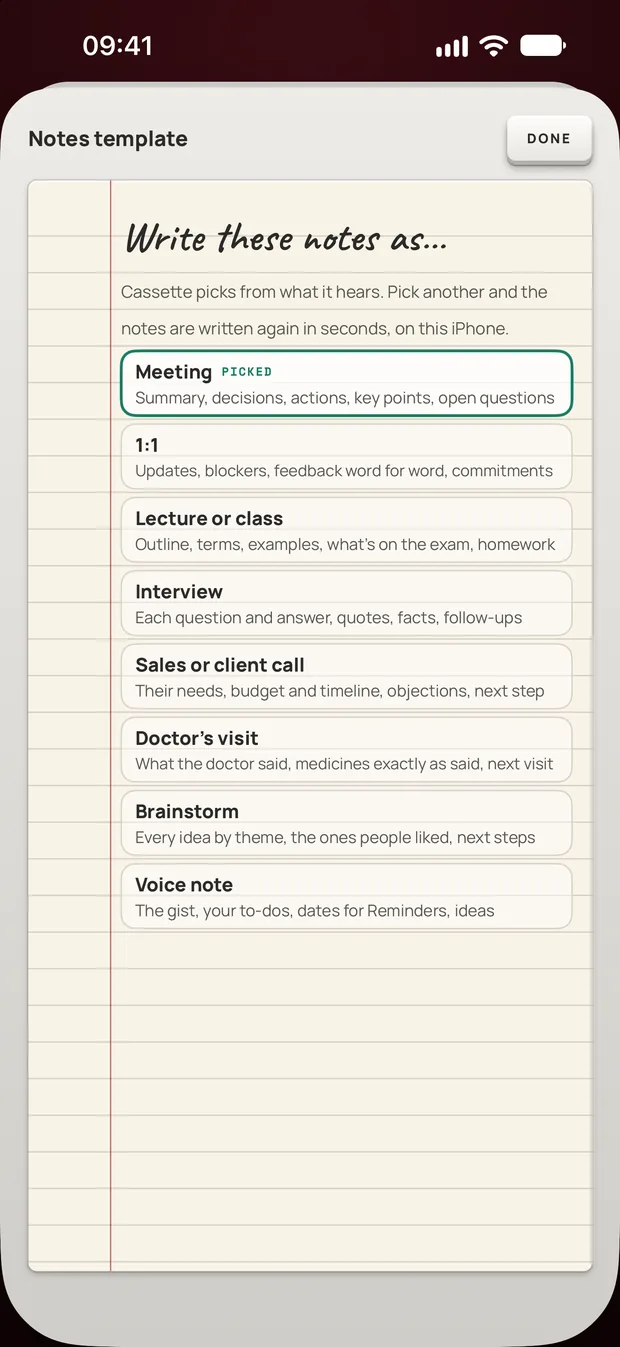
If it took your seminar for a meeting, open the notes template and pick Lecture or class, and the notes are written again in seconds.
- Offline: recording, the transcript and the notes work in airplane mode. On iPhone the transcript needs a language your phone can handle on the device, with its speech model downloaded. On Android the notes model arrives over Wi-Fi once after you install, so open Cassette on Wi-Fi before your first class.
- Where the audio goes: notes are never written by an outside AI service. On Android the audio is never sent anywhere to be transcribed or written up. On iPhone, Apple's servers transcribe a tape the phone can't do on the device, the notes can be written on Apple's Private Cloud Compute on iOS 27, and tapes go in iCloud and computer backups. Signed-in Premium backs tapes up on both systems. On iPhone, On-device only stops all of that.
- Getting notes out: send them to Notion, OneNote, Evernote or Google Keep in one tap, to Apple Notes on iPhone, or to Samsung Notes on a Samsung phone. SHARE also saves them as PDF or Word.
- Review: tap a line of the transcript to jump to that moment, review cards are made from the key terms, and you can type a question to your tapes, like "what's due this week?"
- Cost: recording is free, with no minute meter. A class is usually longer than 3 minutes, so its transcript and notes count toward the 2 free tapes a month, and Premium covers every tape after that.
The full notes need a phone that can run the notes model. On an iPhone without Apple Intelligence or on a version before iOS 26, or an Android phone with less than 8 GB of memory, you get the recording, the transcript and a few lines heard clearly, with no summary, outline, terms, review cards or template choice.
What no app can fix
- A far away microphone. Sit near the front and lay the phone flat, bottom edge toward the speaker. Our lecture recording steps cover the rest.
- Your school's rules. Ask your professor or check the syllabus before you record.
Before you record
Ask first. Whoever you are recording should know about it, some places require everyone's consent, and it is the decent thing to do.
Try Cassette
Free to download. Recording is free and unlimited, tapes under 3 minutes get their transcript and notes free, and longer ones get them free for 2 tapes a month.
Questions
Is there a free lecture recording app?
Yes. Voice Memos and Notes on iPhone, Recorder on Pixel and Voice Recorder on Galaxy phones record for free and write transcripts on the phones and languages their makers list. In Cassette, recording is free. A tape under 3 minutes gets its transcript and notes free, and 2 longer tapes a month do too.
Can a lecture recording app make study notes, not just a transcript?
Some can. Cassette writes notes for a class with an outline, key terms, homework and what is on the exam, and makes review cards from the terms, on phones that can run its notes model.
Does Cassette work for a lecture in another language?
It transcribes many languages. Pick the recording language in Cassette before you record. Notes for a tape in another language are more general than the English lecture notes shown here.
Related guides
- How to record a lecture on iPhone or AndroidRecord a lecture on your phone, mark what matters and get notes you can study from. Steps for iPhone and Android, with the built-in apps and with Cassette.
- How to transcribe voice memos on iPhone or AndroidTurn a voice memo into text with the tools already on your phone. Steps for iPhone, Mac, Pixel and Samsung, and what Cassette adds.
Sources
- Apple Support: Record and transcribe audio in Notes on iPhone: https://support.apple.com/guide/iphone/record-and-transcribe-audio-iphbe11247b5/ios
- Apple Support: View a Voice Memos transcription on iPhone: https://support.apple.com/guide/iphone/view-a-transcription-iph00953a982/ios
- Pixel Phone Help: Create, edit and manage transcriptions: https://support.google.com/pixelphone/answer/16267698?hl=en
- Samsung Support: Use Voice Recorder with Galaxy AI: https://www.samsung.com/us/support/answer/ANS10000942/