How to choose a white noise app
Written by the team that builds Luten, so we are not neutral about it. Updated 8 November 2026.
The short answer
Try what your phone already has first: on iPhone, Background Sounds in Settings plays noise and rain with no app at all, and on Android, the Bedtime tab in Google's Clock app can play sleep sounds from a media app. If you want an app, test a few things in the first evening: it keeps playing with the screen locked, you can't hear where the sound repeats, the timer fades out, no ads cut in, and it doesn't ask you to sign up before you hear anything. Then read its privacy section on the store page.
Start with what is already on your phone
You may not need an app. Both systems have something built in, and it is already on your phone.
- iPhone: Apple's steps: open Settings, tap Accessibility, then Audio & Visual, then Background Sounds, and turn it on. Apple lists balanced, bright and dark noise among the sounds, along with rain and ocean. Our Background Sounds guide has every step, the timer and the fixes for when it stops.
- Android: open Google's Clock app and tap Bedtime. Under Sleep sounds, tap the current sound to choose another, then pick an app and a sound. Google's help says you can also use sounds stored on your phone. If your phone has a different clock app, look for a bedtime section there.
Background Sounds can also play under your music or a podcast. If that is what you want, it may be all you need.
What to test in any white noise app
Store pages all look alike. These checks show the difference, and you can run them yourself before you rely on an app.
- Lock the phone. Start a sound, lock the screen and leave it. The sound should keep going, and you should see play and pause on the lock screen. On Android, a battery saver on some phones can stop apps running in the background, so check that setting if it stops.
- Listen for the repeat. Many noise tracks are a recording of a set length played on a loop. Listen through the point where it starts again. A click, a short gap or a sound you can pick out each time is easy to notice once you've heard it.
- Try the timer. Set the shortest one and wait. Does the sound fade or stop dead? Does it pause, so you can press play again, or close the app?
- Look for ads. On Google Play, a Contains ads label sits under the Install button or price. Google says the developer declares it. On the App Store, play a few sounds and watch for an ad between them.
- Check for voices and music. Some tracks open with a spoken intro or have music mixed in. Play a few right from the start.
- Notice what it asks first. Some apps want an account or a subscription screen before you hear anything. If an app has a subscription, read what it includes on the store page before you start one.
- Read the privacy section. On the App Store, scroll to App Privacy. Apple says it shows what data the app may collect, whether it is linked to you and whether it is used to track you, as reported by the developer. On Google Play, tap Data safety, then See details. Google describes it as the developer's own account of what is collected and shared.
If you aren't sure which kind of noise you want, our page on white, pink and brown noise explains the names, and the green noise guide covers a newer one.
How Luten does on the same tests
Luten is a sound app for iPhone and Android, made by us, so here it is against the same list. Run the tests on it too.
- Locked phone: it keeps playing with the screen locked. The battery saver note above applies on Android.
- Timer: tap Sleep timer in the player and pick a length. For a sound you tapped, when the time is up, the sound gets quieter over about 20 seconds and then pauses. Open the app and press play to carry on.
- Ads: Luten runs no third-party ads.
- Voices: no sound has narration or lyrics.
- Sign-up: a new install starts without an account. You answer a few setup questions, or tap Skip for now, and you can hear a sound before making one. You can add an account later in Profile.
- Sounds: white, pink and brown noise, plus rain, ocean, fan, cafe, library, forest and world soundscapes, grouped into Sleep, Focus, Stress, ADHD and Kids.
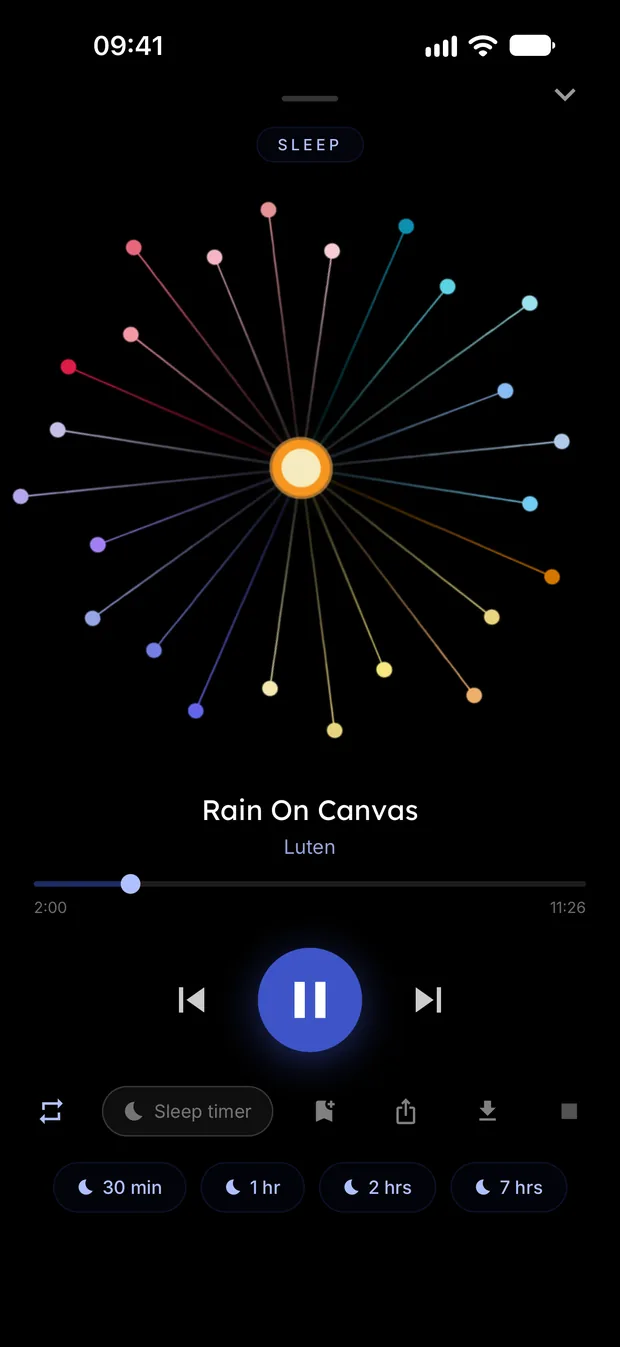
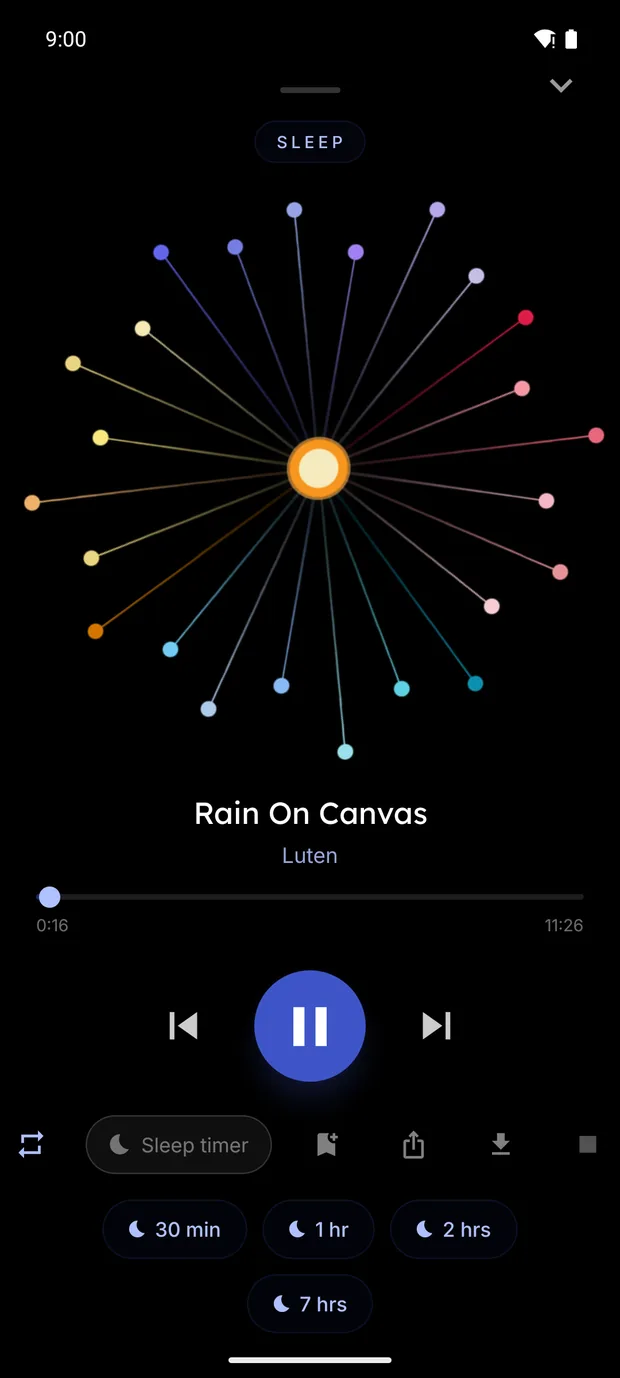
When you tap a sound, the player moves on through the list unless you change it. To stay on one sound, tap the repeat button until it shows a 1.
Where it falls short: Luten is made to be the only thing playing, so starting it pauses your music. For noise under a podcast, Background Sounds on iPhone is the right tool. For privacy, read Luten's App Privacy and Data safety sections like any other app's. One Life, which makes it, doesn't sell personal information.
Which way to go
- You want noise and nothing else: start with Background Sounds on iPhone, or the Bedtime sounds in Google's Clock app on Android.
- You want it under your music: Background Sounds, with Use When Media is Playing turned on.
- You want more kinds of sound, a timer that fades and no ads: try an app, and run the tests above on it in the first evening. Luten is one to try.
Try Luten
Sleep and focus sounds, on iPhone and Android. Free to download, with an optional subscription that starts with a 7 day free trial.
Questions
Is there a white noise app built into iPhone?
Yes, in a way. Background Sounds is a setting rather than an app: Settings, Accessibility, Audio & Visual, Background Sounds. Apple lists balanced, bright and dark noise among its sounds.
Does Android have built-in white noise?
Google's Clock app has Sleep sounds in its Bedtime tab, which plays a sound from an app you choose or a sound stored on your phone. Phones from other makers may have a different clock app, so check yours.
How can I tell if a white noise app has ads?
On Google Play, look for the Contains ads label under the Install button or price. On the App Store, play a few sounds and see. Luten runs no third-party ads.
Can a white noise app play while I listen to music?
Many sound apps pause your music when they start, and Luten does. On iPhone, Background Sounds can play under music: turn on Use When Media is Playing in its settings.
Will a white noise app keep playing when the screen locks?
It should, and it is worth checking in the first evening. Luten keeps playing with the phone locked. On Android, a battery saver on some phones can stop background apps, so check that setting if sound stops.
Related guides
- How to use Background Sounds on iPhoneTurn on the noise and nature sounds built into iPhone, play them under your music, set the timer, and see where an app like Luten fits.
- How to set a sleep timer on iPhone or AndroidStop music and sounds on a timer: the built-in way on iPhone, what to do on Android, Spotify and Apple Music, and how the timer in Luten fades out.
- What is green noise?Green noise has no fixed definition. Who says what, how it differs from white, pink and brown noise, and where to find or make it.
- Study sounds: what people mean and how to set them upWhat study sounds usually are, how to set them up on iPhone or Android, the built-in Background Sounds option, and how the Focus timer in Luten plays them.
Sources
- Apple Support: Play background sounds on iPhone: https://support.apple.com/guide/iphone/play-background-sounds-iphb2cfa052c/ios
- Apple Support: accessibility features for older adults: https://support.apple.com/en-us/126977
- Clock Help (Google): Set a bedtime schedule: https://support.google.com/clock/answer/9887159?hl=en
- Google Play Help: apps that contain ads: https://support.google.com/googleplay/answer/6270207?hl=en
- Apple Support: About privacy information on the App Store: https://support.apple.com/en-us/102399
- Google Play Help: Data safety section: https://support.google.com/googleplay/answer/11416267?hl=en