How to set a sleep timer on iPhone or Android
Written by the team that builds Luten, so we are not neutral about it. Updated 6 November 2026.
The short answer
On iPhone, open the Clock app, tap Timers, set a time, tap When Timer Ends, choose Stop Playing, then tap Set and Start. On Android, look in the app that is playing: Spotify and YouTube each have their own timer. In Luten, tap Sleep timer in the player and pick a length, and the sound fades out, then pauses.
On iPhone: use the Clock app
You don't need to install anything. The timer in Clock can stop what is playing instead of ringing.
- Start your music, podcast or sound.
- Open the Clock app and tap Timers.
- Set the length you want.
- Tap When Timer Ends, then tap Stop Playing at the bottom of the list of sounds.
- Tap Set, then tap Start.
Apple describes this for audio or video in general, not one app, and says the timer keeps going if you open another app or the iPhone goes to sleep.
Check that When Timer Ends says Stop Playing each time you start one. Some people on Apple's forums report it going back to a sound, which means an alarm instead of silence.
On Android: use the timer in the app that is playing
Google's Clock app rings when a timer ends. Google's help covers alarms, timers and bedtime sounds, and doesn't describe a way to stop music you are already playing. If your phone has a different clock app, check it. Otherwise, look in the app playing the sound.
- Spotify, on iPhone or Android: open the Now Playing screen, tap the three-dot menu, scroll down and tap Sleep Timer. On a podcast, tap the moon icon beside the play button. Spotify's steps include stopping at the end of the current track.
- YouTube, on iPhone or Android: open the video, tap the settings icon in the player, tap Sleep timer and choose a length. Google says playback pauses when it runs out and you get a silent notification.
- Any other app: look in the player's menu. Some players keep a sleep timer there, and the name changes from app to app.
In Luten: a timer that fades out
Luten is a sound app for iPhone and Android, and the timer is part of the player, so there is nothing else to set up.
- Play a sound and open the player.
- Tap Sleep timer.
- Pick a length. The button then shows the minutes left. To turn it off, tap the button again, then tap Cancel.
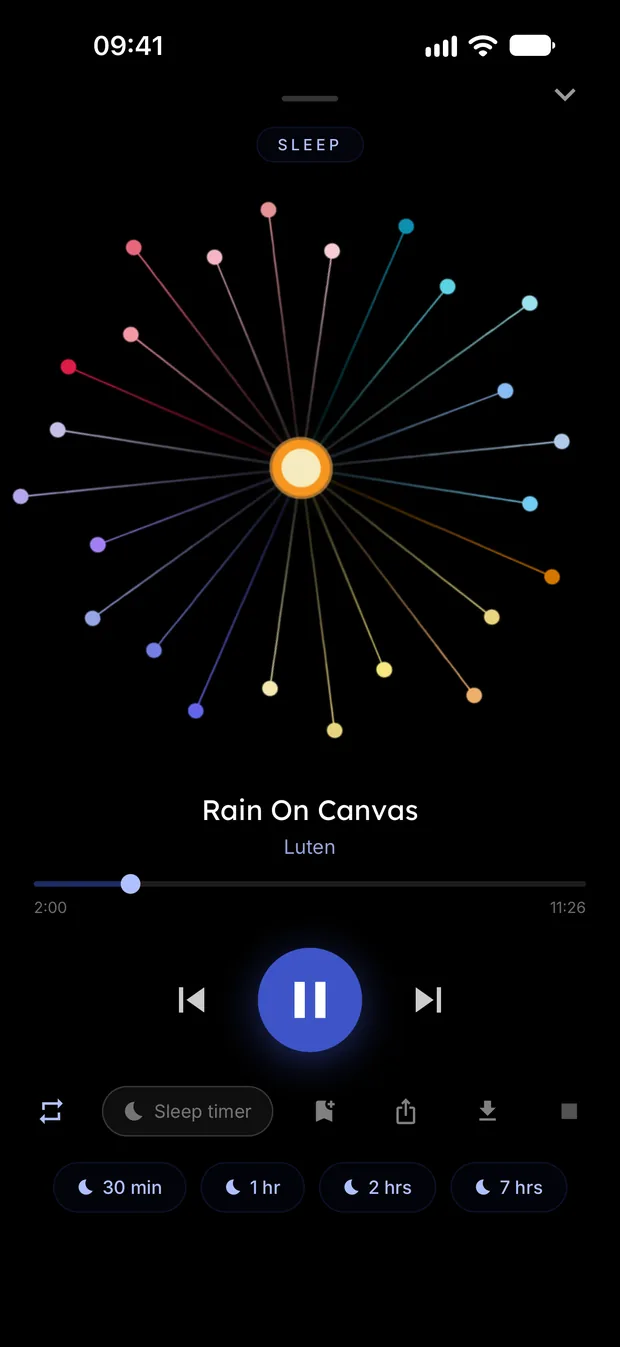
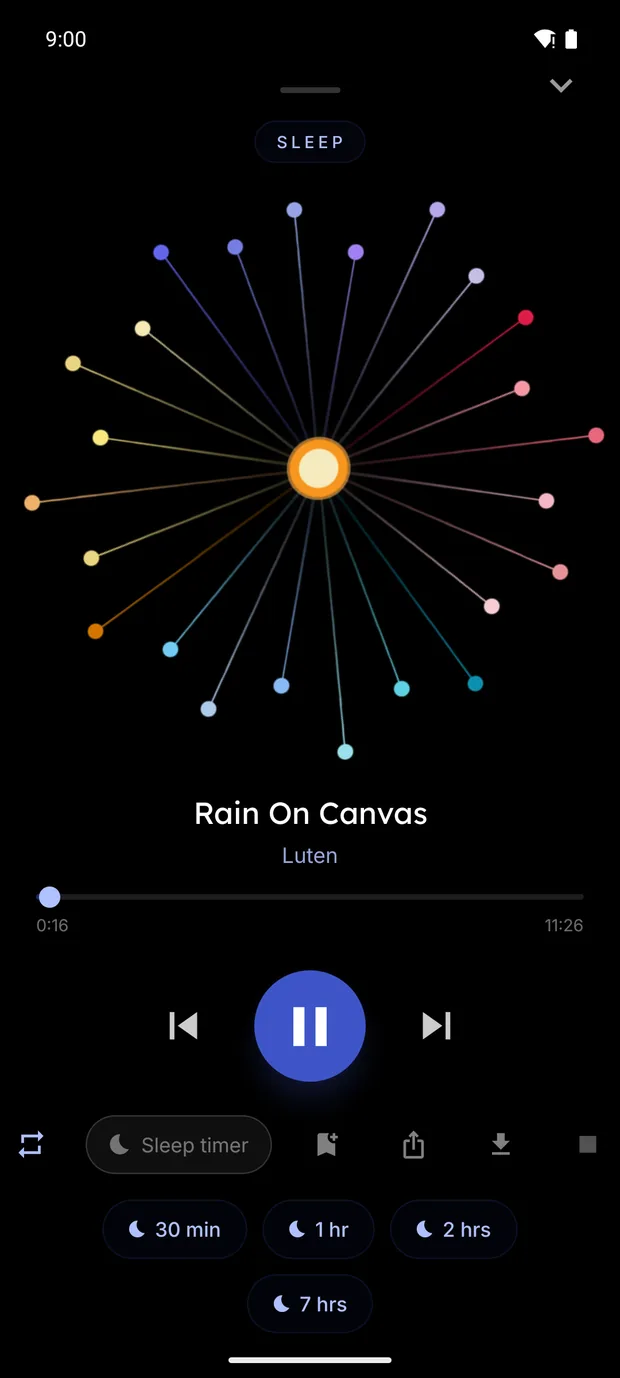
When the time is up, the sound gets quieter over about 20 seconds and then pauses. It pauses rather than closing, so you can press play and carry on.
The timer keeps counting with the phone locked. On Android, a battery saver on some phones can stop apps running in the background, so check that setting if a timer doesn't behave.
By default the player moves on through the list. To stay on one sound, tap the repeat button until it shows a 1.
Which one to use
- You only want your music or podcast to stop: the built-in way is enough. Clock on iPhone, or the timer in your music app.
- You want the ending to be gradual: the Apple, Spotify and YouTube steps above don't mention a fade. The timer in Luten fades by design.
- You want a sound app in the first place: Luten is made for that, with no ads and the timer in the player.
Try Luten
Sleep and focus sounds, on iPhone and Android. Free to download, with an optional subscription that starts with a 7 day free trial.
Questions
How long should I set a sleep timer for?
That is up to you. We don't recommend a length. Pick what suits you, and change it whenever you like.
Does Apple Music have a sleep timer?
On iPhone, Apple's guides don't describe one in the Music app, so use the Clock timer above, which stops what is playing. On Android, check the menu in the Apple Music player.
Does a sleep timer keep running with the screen locked?
On iPhone, Apple says the Clock timer continues when the iPhone goes to sleep. The timer in Luten also keeps counting with the phone locked, on iPhone and on Android, apart from the battery savers mentioned above.
Can I cancel a sleep timer?
Yes. In Clock, tap Timers, swipe left on the timer and tap the button that appears. In Luten, tap the button that shows the minutes left, then tap Cancel.
Related guides
- How to use Background Sounds on iPhoneTurn on the noise and nature sounds built into iPhone, play them under your music, set the timer, and see where an app like Luten fits.
Sources
- Apple Support: Set timers in Clock on iPhone: https://support.apple.com/guide/iphone/set-timers-iph8241d6b2a/ios
- Apple Support Community: timer When Timer Ends setting reverting: https://discussions.apple.com/thread/255223516
- Clock Help (Google): https://support.google.com/clock/faq/6273949?hl=en
- Spotify newsroom: How to make Spotify's Sleep Timer part of any bedtime routine: https://newsroom.spotify.com/2022-08-02/how-to-make-spotifys-sleep-timer-part-of-any-bedtime-routine/
- YouTube Help: Set a sleep timer: https://support.google.com/youtube/answer/15397997?hl=en&co=GENIE.Platform%3DAndroid