 cassette deck
How to use an AI note taker without a bot in the call
Written by the team that builds Cassette, so we are not neutral about it. Updated 11 November 2026.
The short answer
An AI note taker records what is said, writes a transcript, and turns it into notes. Some join your video call as a bot. Others listen through your own device, which also works in a room, a classroom or an interview. Try the free one you may already have first: the Notes app on iPhone records and transcribes, and sums up with Apple Intelligence. For notes shaped to what you recorded, with no bot, use an app like Cassette on iPhone or Android: press RECORD, press STOP, and it writes the notes for a meeting, a class, an interview or a voice note.
Two kinds of AI note taker
Every AI note taker does the same three jobs: it gets the audio, writes down the words, and pulls out what matters. The difference is how it gets the audio.
- A bot that joins the call. It shows up in Zoom, Teams or Meet as another person in the meeting and records from there. This suits a team whose meetings are all on calls. It can't help when the meeting is around a table, and some people don't like a stranger in the list.
- An app on your own device. It listens through your phone's or computer's microphone. Nothing joins the call and nobody gets an invite. It works the same in a meeting room, a lecture hall, a coffee shop interview or the car.
If most of what you want notes from happens in person, the second kind is the one to look at.
Free options to try first
- iPhone, Notes app. Open a note and choose Record Audio from the attachments menu. It transcribes on iPhone 12 or later in the languages Apple lists, and can sum up the transcript on a phone with Apple Intelligence.
- Google Meet. Take notes for me can also be used for a meeting in a room, with an eligible Google Workspace edition or Google AI plan.
These give you a transcript and a general summary. What they don't do is change the shape of the notes to fit what was recorded. A class needs its terms and what's on the exam. An interview needs each question with its answer. A meeting needs who is doing what, and by when.
Take notes with Cassette, step by step
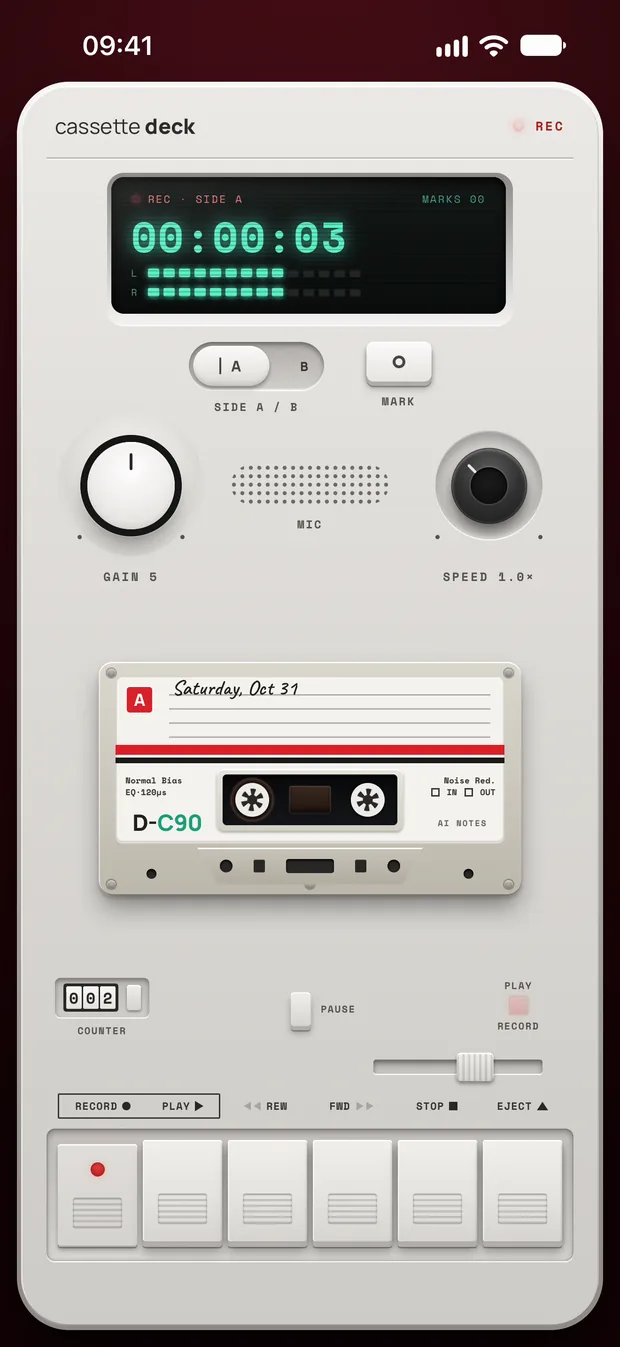
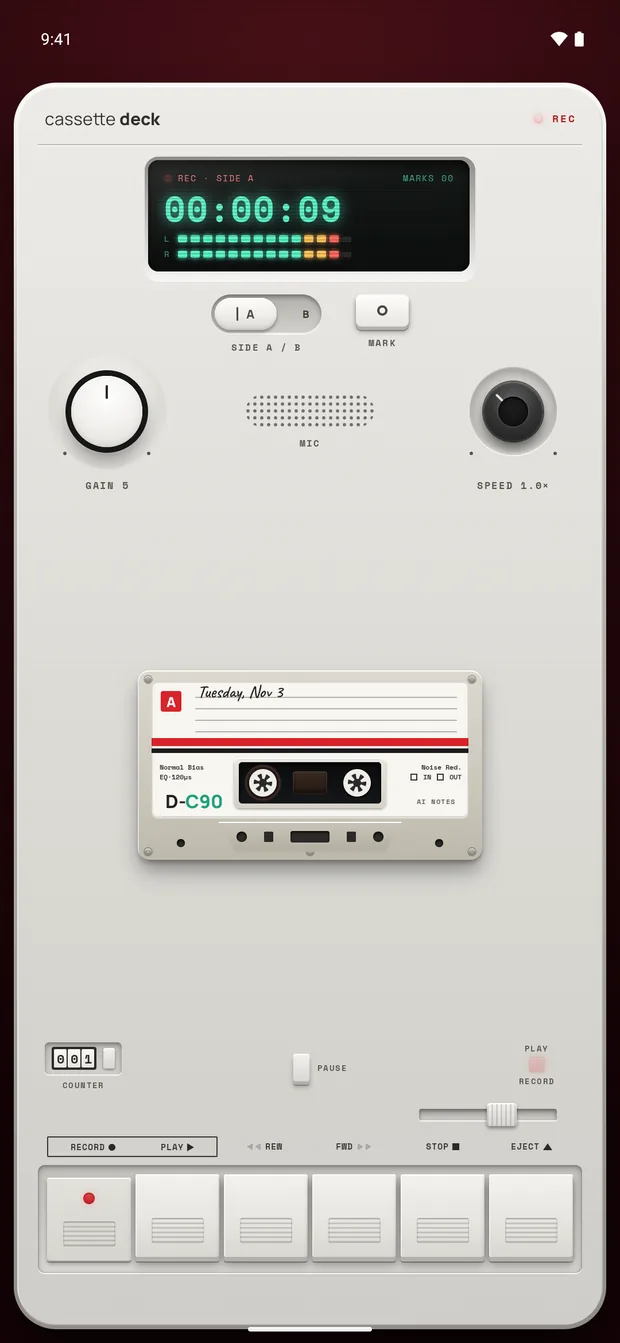
Cassette looks like a tape deck and runs on iPhone and Android. The steps are the same on both.
- Put the phone near the people talking and press RECORD. You can lock the screen and the tape keeps going.
- Tap MARK when something important is said, so you can find that moment later.
- Press STOP. Cassette writes the transcript, then the notes, with no outside AI service.
Notes that fit what you recorded
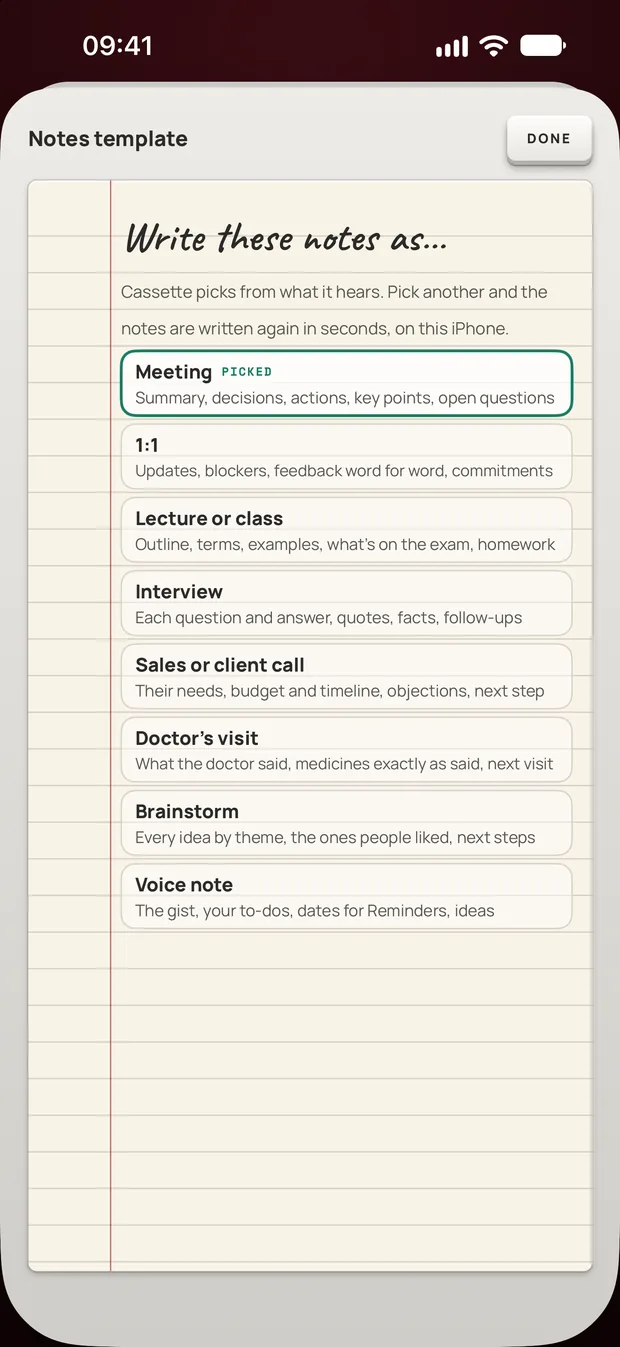
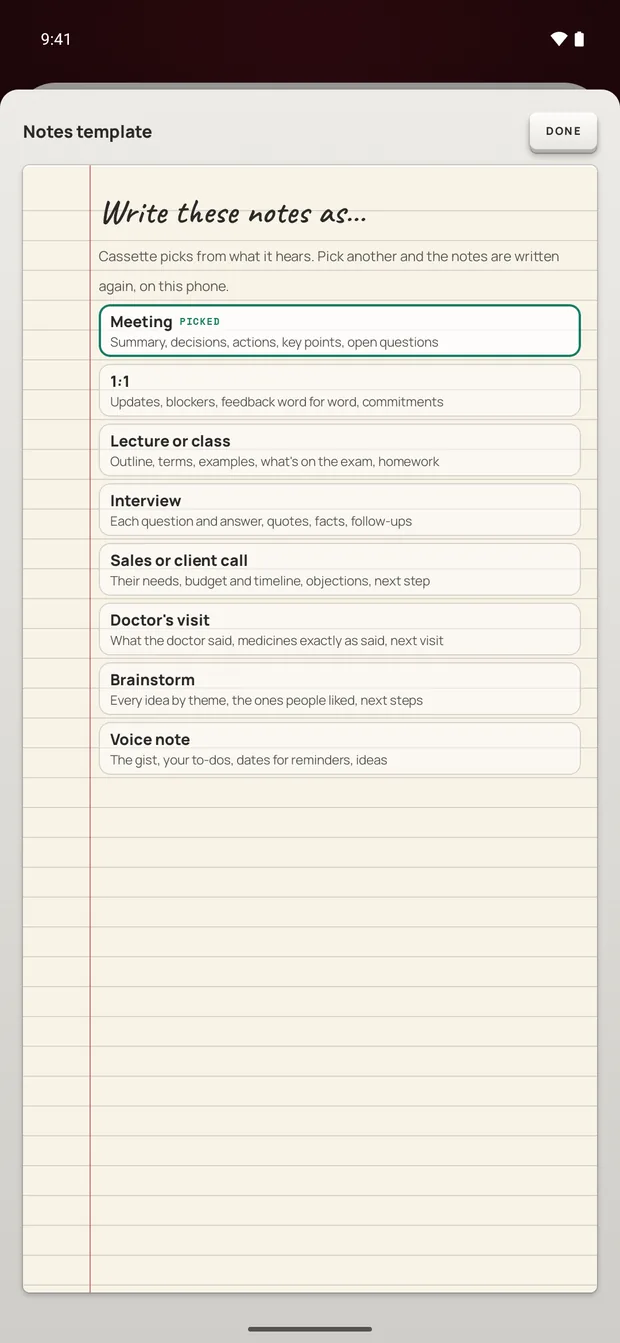
Cassette picks a kind of notes from what it hears. There are eight, and each one writes different sections:
- Meeting: a summary, what was decided, the actions, key points and open questions. 1:1 and Sales or client call have their own versions.
- Lecture or class: an outline, the key terms, examples, what's on the exam and the homework.
- Interview: each question with its answer, quotes, facts and follow-ups.
- Brainstorm: every idea, the ones people liked, and next steps.
- Voice note: the gist, your to-dos with their dates, and ideas.
- Doctor's visit: what the doctor said, medicines exactly as said, and the next visit.
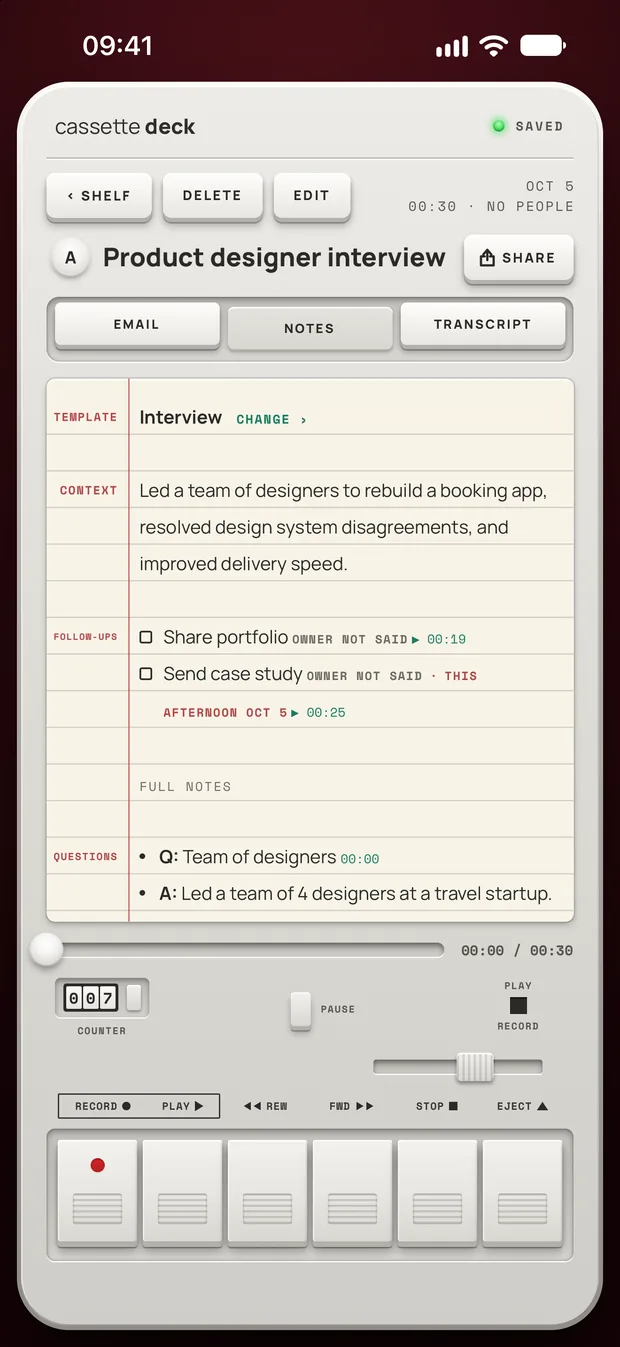
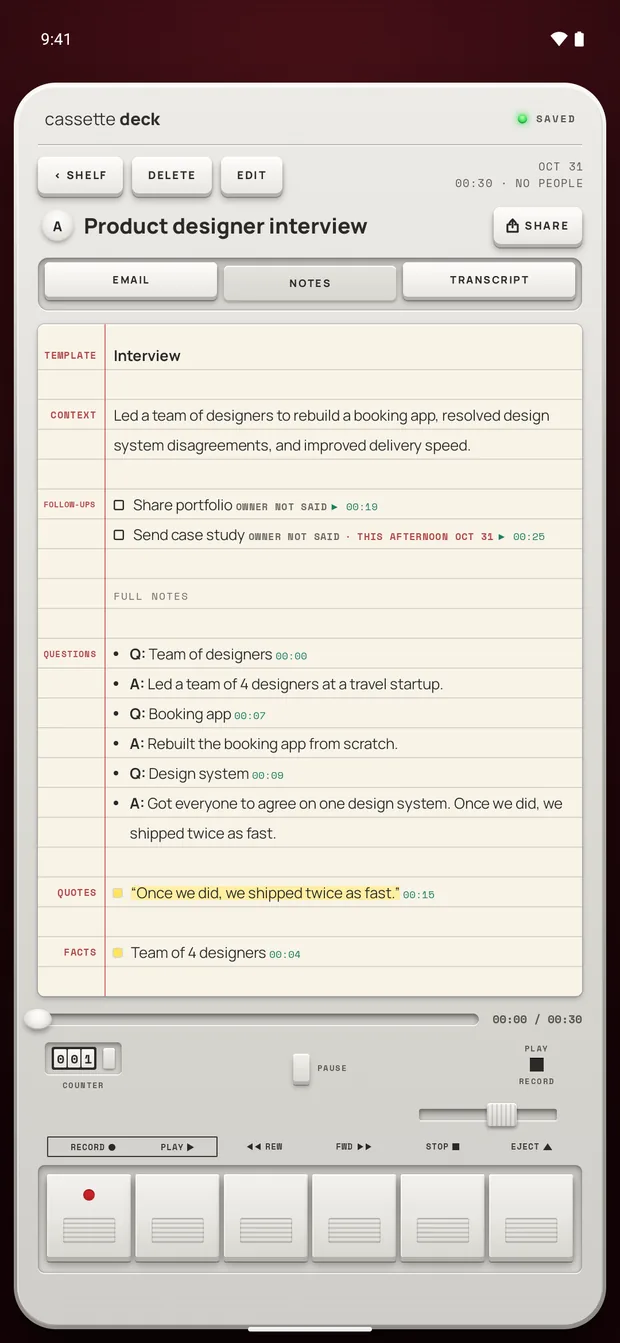
If it guessed wrong, open the template on the notes page and pick another. The notes are written again in that shape.
Points and tasks in the notes show the time on the tape they came from. Tap a line of the transcript to go to that moment, then press PLAY and hear it for yourself. A note is the app's reading of what was said, and the tape is how you check it.
Full notes depend on the phone. An iPhone without Apple Intelligence or on a version before iOS 26, or an Android phone with less than 8 GB of memory, gets the recording, the transcript and a few lines heard clearly, with no summary, to-dos, outline, terms, review cards or template choice. On Android, these full notes are written for recordings in English, and other languages get simpler notes.
Calls and recordings you already have
Calls on a Mac. Turn the switch on the deck to CALL and Cassette records what your Mac plays, the other people on Zoom, Google Meet or Microsoft Teams, together with your microphone. No bot joins. macOS asks once to allow screen and system audio recording, and this needs macOS 15.2 or later.
A recording made elsewhere. On iPhone or iPad, share an audio file to Cassette or press ADD FILE on the Shelf. On a Mac, press ADD FILE or drag the file onto the Shelf. It becomes a tape with a transcript and notes, and the original file isn't changed. Cassette reads M4A, MP3, WAV, AAC, FLAC, Opus and the sound in MP4. Cassette for Android can't bring in files yet.
After the notes are written
- Send them where you keep notes. Notion, OneNote, Evernote or Google Keep, Apple Notes on iPhone, iPad and Mac, or Samsung Notes on a Samsung phone. SHARE also makes a PDF or a Word file.
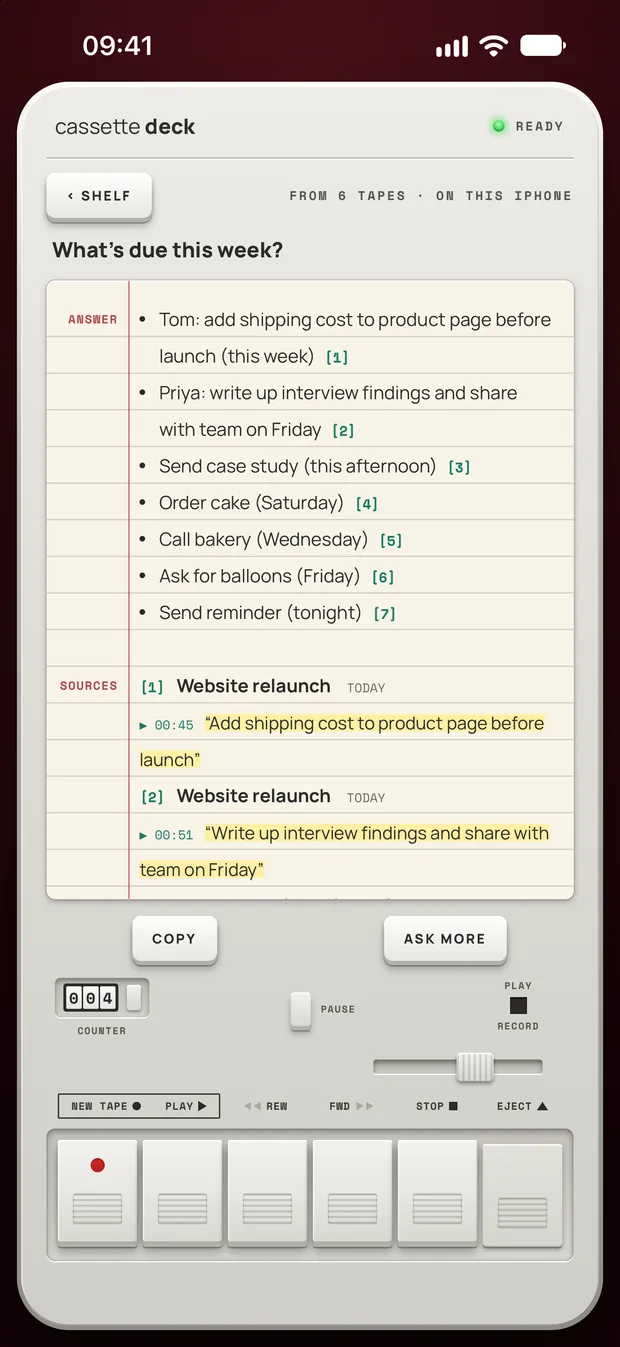
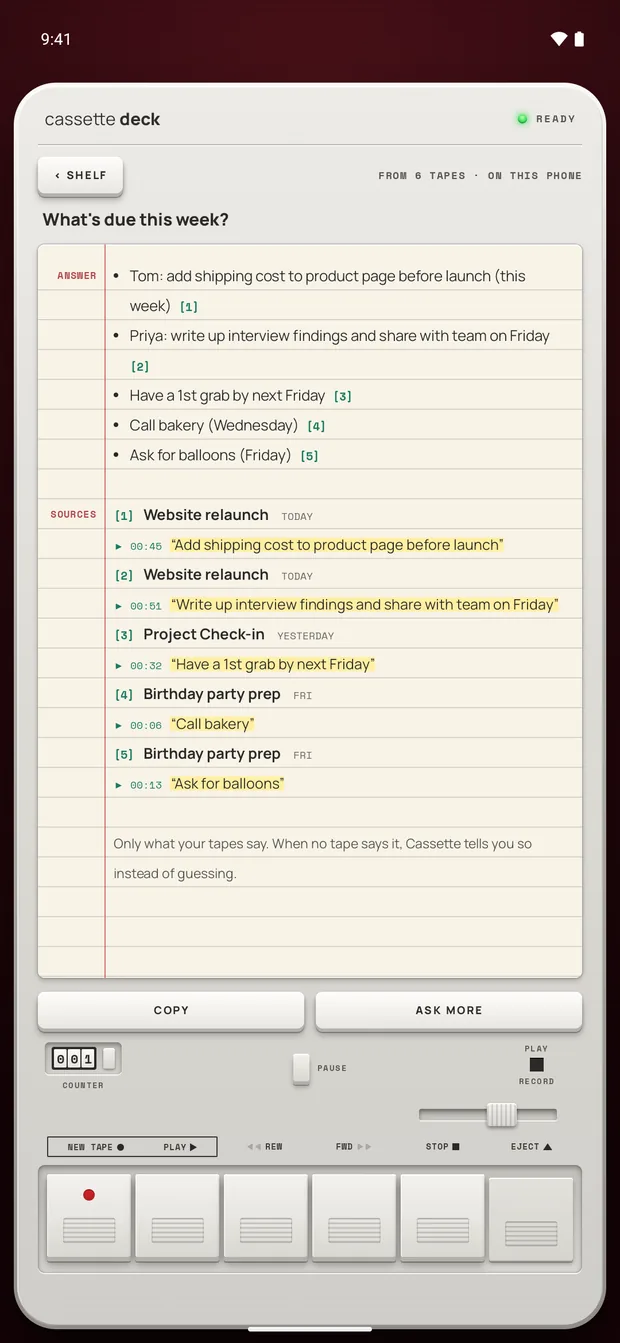
- Ask your tapes. Type a question like "what's due this week?" and Cassette answers from your own recordings, with the sources.
What to check before you trust any AI note taker
- Where does the audio go? Find out whether it is uploaded to a server for the transcript or the notes.
- Can you check a note against the recording? A note without its moment is hard to trust.
- Does it work where you talk? In a room and on calls, not only one call app.
- How much does the free tier cover? Try it on a full hour before you depend on it.
For Cassette: no outside AI service ever writes the notes. On Android, the phone transcribes and writes the notes itself. On iPhone, Apple's servers transcribe a tape when the phone can't do that language on the device, the notes can be written on Apple's Private Cloud Compute on iOS 27, and tapes go in iCloud and computer backups. Signing in with Premium backs tapes up on both systems. On iPhone, On-device only in your Cassette profile turns all of that off.
Before you record
Ask first. Whoever you are recording should know about it, some places require everyone's consent, and it is the decent thing to do.
Try Cassette
Free to download. Recording is free and unlimited, tapes under 3 minutes get their transcript and notes free, and longer ones get them free for 2 tapes a month.
Questions
Is there a free AI note taker?
Yes. The Notes app on iPhone records and transcribes for free on the models and languages Apple lists. Cassette records for free with no time limit, writes up any tape under 3 minutes free, and writes up 2 longer tapes a month free. Premium covers every tape after that.
Can an AI note taker work for in person meetings?
Yes, if it listens through your own device. Put the phone in the middle of the table and press RECORD. Nothing has to join a call.
Does it work without the internet?
On Android, yes, once the notes model has arrived over Wi-Fi after you install. On iPhone, the transcript is written on the device in the languages it supports there, with that language's speech model downloaded. Otherwise Apple's servers write it.
Will people know they are being recorded?
Nothing joins the call or sends an invite, so tell people yourself before you press RECORD.
Related guides
- How to choose a meeting notes appHow to pick a meeting notes app: what your phone and your call app already do, eight things that matter for meetings, and how Cassette does.
- How to transcribe a meeting without a bot in the callGet a transcript of any meeting, in a room or on a call, on iPhone, Android or Mac: what Zoom, Teams and Meet do, and how Cassette does it with no bot.
- How to record a lecture on iPhone or AndroidRecord a lecture on your phone, mark what matters and get notes you can study from. Steps for iPhone and Android, with the built-in apps and with Cassette.
- How to take notes in a meeting using AIUse AI to take meeting notes on Zoom, Teams, Google Meet or in a room: what to set up, what to say out loud, and how to check the notes afterwards.
- How to transcribe voice memos on iPhone or AndroidTurn a voice memo into text with the tools already on your phone. Steps for iPhone, Mac, Pixel and Samsung, and what Cassette adds.
Sources
- Apple Support: Record and transcribe audio in Notes on iPhone: https://support.apple.com/guide/iphone/record-and-transcribe-audio-iphbe11247b5/ios
- Google Meet Help: Use Take notes for me for in person meetings: https://support.google.com/meet/answer/17020724?hl=en